- PC
- Mobile
- Controller
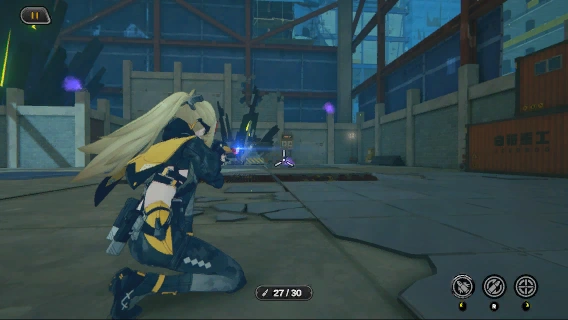
Press  for single shot.
When a blue flash appears on the muzzle, you can perform another single shot. Otherwise, rapid fire will be triggered. Each single shot consumes 1 bullet.
Hold for rapid fire.
Rapid fire has a higher fire rate but deals lower DMG. Each rapid fire shot consumes 1 bullet.
Tap the Fire button for single shot.
When a blue flash appears on the muzzle, you can perform another single shot. Otherwise, rapid fire will be triggered. Each single shot consumes 1 bullet.
Hold the Fire button for rapid fire.
Rapid fire has a higher fire rate but deals lower DMG. Each rapid fire shot consumes 1 bullet.
Press  for single shot.
When a blue flash appears on the muzzle, you can perform another single shot. Otherwise, rapid fire will be triggered. Each single shot consumes 1 bullet.
Hold for rapid fire.
Rapid fire has a higher fire rate but deals lower DMG. Each rapid fire shot consumes 1 bullet.
- PC
- Mobile
- Controller
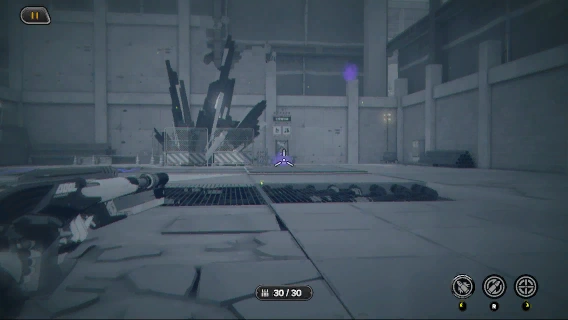
Press  to target distant Ether containers.
Each aimed shot will consume 5 bullets.
Hit all Ether containers to remove the spray.
Tap the Aim button to target distant Ether containers.
Each aimed shot will consume 5 bullets.
Hit all Ether containers to remove the spray.
Press <Action:TriggerTpsCameraZoom> to target distant Ether containers.
Each aimed shot will consume 5 bullets.
Hit all Ether containers to remove the spray.